Photoshop-era edits
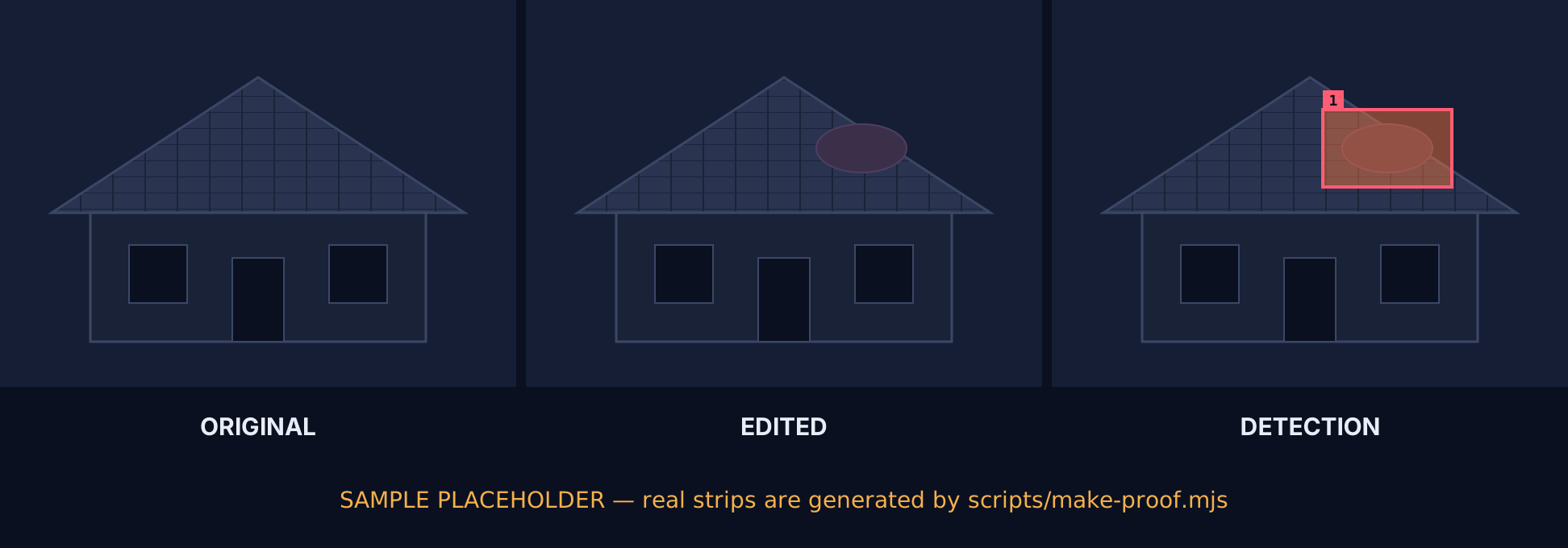
A hail dent cloned across a hood. A water line nudged up a wall. Receipt totals retyped. Consumer editing tools make localized edits that look clean at full zoom but leave compression, noise and thumbnail inconsistencies behind.
ClaimProof flags photos that were edited, AI-generated or reused from another claim — and shows the evidence, with a reliability score, so your adjusters decide with their eyes open.
One REST call per photo. Multi-photo claims, ZIP ingestion, webhooks. Runs on Cloudflare's edge in the US.
Three ways a claim photo lies — and why a human eye on a screen is no longer enough.
A hail dent cloned across a hood. A water line nudged up a wall. Receipt totals retyped. Consumer editing tools make localized edits that look clean at full zoom but leave compression, noise and thumbnail inconsistencies behind.
Image generators can now produce a plausible storm-damaged roof, flooded kitchen or crumpled bumper from a sentence. The photo never existed. Industry fraud units report seeing these in real claim files; the question is no longer if but how often.
The same damage photo resubmitted under a different policy, a different date, a different address — sometimes by a contractor across many homeowners. Nothing about the single image is wrong; only the comparison against your other claims reveals it.
No single test proves anything. MESH-FI runs ten independent signals, weighs each by how reliable it is for this specific image, and fuses them into one verdict with a confidence score and an honest inconclusive path.
EXIF, XMP, ICC, C2PA manifests, editor history, AI generator markers, declared vs actual dimensions, embedded thumbnail vs image.
Sensor-noise consistency, JPEG quantisation history, 8×8 block-grid alignment, error-level analysis, double-compression periodicity.
Copy-move clone detection, frequency-spectrum generator fingerprints, and a vision-model pass on lighting, shadows, perspective and generative tell-tales.
Each signal's reliability is reduced by degradation (no EXIF, social resize, heavy JPEG). A noisy-OR fuses scores; one weak signal can never exceed 0.45 alone.
Every card below is generated by running MESH-FI on composites we built from real photos. The numbers are the engine's own — not hand-written. The control case is an untouched photo, shown so you can see what "clean" looks like. These test images are 1–2 megapixels and are analysed at full resolution; photos above 6 MP go through the downscaled path described under "What ClaimProof cannot do", where the pixel signals carry less weight.
Drop a JPEG into the live demo. It's analysed in memory and never stored. See the heat map, the regions, every signal.
Each signal reports a score and a reliability for the image in front of it. Here is what each one measures — and what it cannot see.
| Signal | What it measures | What it cannot do |
|---|---|---|
| metadata | EXIF/XMP/IPTC/ICC containers, editor software tags, AI generator markers, C2PA manifest presence, date mismatches, social/generator dimensions. | Metadata can be stripped or forged; absence is a degradation, not evidence. C2PA signatures are not cryptographically verified in v0.1. |
| thumbnail | Compares the embedded EXIF thumbnail against the main image (perceptual hash + pixel diff). A mismatch means the image changed after the camera wrote it. | Only works when a thumbnail survives. Re-exports that regenerate the thumbnail erase this signal. |
| quant | JPEG quantisation tables: estimated quality, standard-library (software) tables vs camera tables, double-compression periodicity. | Many phones re-encode on share; a software table alone is low-severity. Says nothing about PNG or WebP. |
| ela | Error-level analysis: how differently each cell re-compresses, normalised for texture. Pasted regions with a different compression history stand out. | Weak after heavy recompression or resizing; strong edges and text can mimic anomalies, which is why it is texture-normalised and reliability-capped. |
| noise | Sensor-noise residual per cell vs the texture-noise fit for the whole frame; chroma/luma ratio. Spliced content carries a different noise signature. | Denoised or very dark/blown-out regions have little usable noise. Low-megapixel images halve its reliability. |
| grid | 8×8 JPEG block-grid phase per region. Pasted content usually lands off-grid. | Only meaningful on JPEG below quality ~97 with a detectable global grid. Skipped for PNG and screenshots. |
| copymove | Finds duplicated blocks within the same image (clone-stamp) via quantised DCT hashing and clustered shift vectors. | Natural repetition (shingles, tiles, brick) can match; clusters must be large and consistent. Does not detect material brought in from another image. |
| spectrum | Azimuthal frequency-spectrum profile of the noise residual — periodic peaks and roll-off typical of generative upsamplers. | Low reliability by design. Never drives an AI verdict alone; requires metadata or vision agreement. |
| vision | A vision model reviews lighting direction, shadow consistency, perspective/scale, edge halos, melted text, repeated textures, screenshot/photo-of-screen. | Capped at 0.5 reliability — models are confidently wrong sometimes. Skipped entirely in the public demo unless enabled. |
| context | Claim context vs metadata: captured before the loss date, far from the loss location, device mismatch, taken long after the loss. | Depends on EXIF dates and GPS being present and honest. A missing date is inconclusive, not suspicious. |
Upload a claim's photos — or the ZIP straight from your claims system — and ClaimProof analyses every photo, then checks them against each other and against every other claim in your tenant.
Bearer key, multipart or JSON, synchronous results for single images, queued + webhook for claims. Full docs →
POST /v1/analyzecurl -X POST https://claimproof.wardtechsystems.com/v1/analyze \
-H "Authorization: Bearer cp_live_…" \
-F "image=@roof.jpg" \
-F 'context={"lossDate":"2026-05-14","peril":"hail","lossLocation":{"lat":32.93,"lng":-96.9}}'import { readFile } from 'node:fs/promises';
const form = new FormData();
form.append('image', new Blob([await readFile('roof.jpg')], { type: 'image/jpeg' }), 'roof.jpg');
form.append('context', JSON.stringify({ lossDate: '2026-05-14', peril: 'hail' }));
const res = await fetch('https://claimproof.wardtechsystems.com/v1/analyze', {
method: 'POST',
headers: { Authorization: `Bearer ${process.env.CLAIMPROOF_KEY}` },
body: form,
});
const { analysis, annotatedUrl } = await res.json();
console.log(analysis.verdict, analysis.score, analysis.confidence);import json, os, requests
r = requests.post(
"https://claimproof.wardtechsystems.com/v1/analyze",
headers={"Authorization": f"Bearer {os.environ['CLAIMPROOF_KEY']}"},
files={"image": open("roof.jpg", "rb")},
data={"context": json.dumps({"lossDate": "2026-05-14", "peril": "hail"})},
timeout=60,
)
r.raise_for_status()
a = r.json()["analysis"]
print(a["verdict"], a["score"], a["confidence"])POST /v1/claims → /zip# 1. create the claim
curl -X POST https://claimproof.wardtechsystems.com/v1/claims \
-H "Authorization: Bearer cp_live_…" -H "Content-Type: application/json" \
-d '{"claimNumber":"HO-2026-48211","peril":"hail","lossDate":"2026-05-14",
"lossLocation":{"lat":32.93,"lng":-96.9},"webhookUrl":"https://claims.example.com/hooks/claimproof"}'
# → 201 { "id": "clm_…", "uploadUrls": { "photos": "/v1/claims/clm_…/photos", "zip": "/v1/claims/clm_…/zip" } }
# 2. send the ZIP from your claims system
curl -X POST https://claimproof.wardtechsystems.com/v1/claims/clm_…/zip \
-H "Authorization: Bearer cp_live_…" -H "Content-Type: application/zip" \
--data-binary @HO-2026-48211.zip
# → 202 { "status": "unpacking", "workflowId": "…" }
# 3. poll, or wait for the claim.completed webhook
curl https://claimproof.wardtechsystems.com/v1/claims/clm_…/report?format=json \
-H "Authorization: Bearer cp_live_…"const API = 'https://claimproof.wardtechsystems.com';
const H = { Authorization: `Bearer ${process.env.CLAIMPROOF_KEY}` };
const claim = await (await fetch(`${API}/v1/claims`, {
method: 'POST', headers: { ...H, 'Content-Type': 'application/json' },
body: JSON.stringify({ claimNumber: 'HO-2026-48211', peril: 'hail', lossDate: '2026-05-14',
webhookUrl: 'https://claims.example.com/hooks/claimproof' }),
})).json();
await fetch(`${API}${claim.uploadUrls.zip}`, {
method: 'POST', headers: { ...H, 'Content-Type': 'application/zip' },
body: await readFile('HO-2026-48211.zip'),
}); // 202 — the claim.completed webhook carries the ClaimReportAPI = "https://claimproof.wardtechsystems.com"
H = {"Authorization": f"Bearer {os.environ['CLAIMPROOF_KEY']}"}
claim = requests.post(f"{API}/v1/claims", headers=H, json={
"claimNumber": "HO-2026-48211", "peril": "hail", "lossDate": "2026-05-14",
"webhookUrl": "https://claims.example.com/hooks/claimproof",
}).json()
with open("HO-2026-48211.zip", "rb") as f:
requests.post(f"{API}{claim['uploadUrls']['zip']}",
headers={**H, "Content-Type": "application/zip"}, data=f)
# 202 — poll GET /v1/claims/{id} or receive claim.completedEvery plan includes all ten signals, multi-photo claims and the portal. Compare plans in detail →
Forensics produces evidence, not certainty. We would rather you know the edges before the pilot than after.
edited_likely means "the evidence points this way with the stated confidence" — never "this is fraud". Every result is for adjuster review.degradation: heavy) and leans to inconclusive rather than guessing.degradation: resized_for_analysis). Metadata, the embedded thumbnail, copy-move, claim context, cross-claim reuse and the vision model carry the verdict on those photos. A pixel-only splice in a 12 MP photo is more likely to read inconclusive than edited_likely in v0.1.415 UNSUPPORTED_FORMAT. Transcoding is flagged as a degradation reason because it discards some camera-native evidence.POST /v1/analyze takes minutes with the key we issue. Most carriers wire the claims + webhook flow into their claim system in one to two sprints. The portal works with no integration at all for SIU teams who want to start tomorrow.webhookUrl per tenant or per claim. We POST signed events (claim.photo.analyzed, claim.completed, claim.failed) with an HMAC-SHA256 signature header and retry three times. Verification samples in Node and Python are in the docs.Tell us a little about your book and we'll issue a pilot key and set up a portal tenant. We'll also run a blind test on historical photos you choose.